Installed a truck mod but it is not in the dealer? The five reasons, and how truck mods appear in ETS2 and ATS
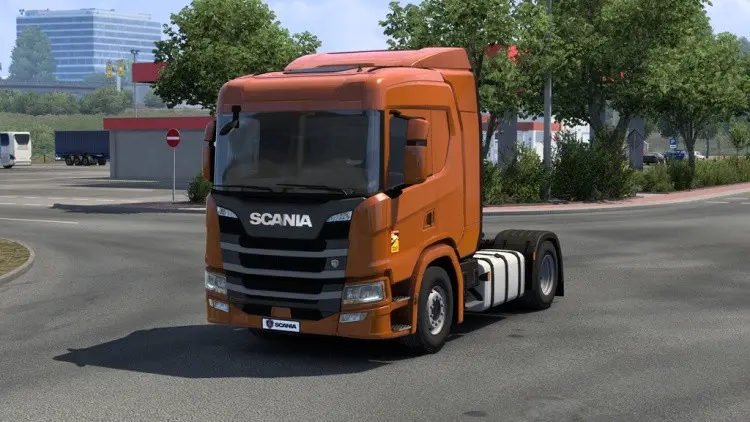
You activated the truck mod, loaded the profile, drove to the dealer, and the truck is not there. This is the single most common question about truck mods in Euro Truck Simulator 2 and American Truck Simulator, and the answer is almost always one of five things. None of them is “the mod is broken”.
1. It is in a different dealer
Truck mods decide for themselves where they are sold. Three patterns exist:
- In the brand’s own dealer. A modded Scania appears in the Scania dealer alongside the official ones. Most high-quality standalone trucks do this.
- In a “mod dealer” of its own. Some mods add a separate dealer brand (often with the author’s name or “Mods”), which appears in the dealer list as a new entry. Scroll the brand list.
- As a replacement. The mod replaces a stock truck’s model; there is no new entry, the existing truck simply looks different. Older conversions work this way.
The quickest check is the truck dealer screen from the main map rather than driving: it lists every brand and every truck for sale.
2. The dealer list is cached
The game builds the dealer list when the profile loads. If you activated the mod and then loaded a save that was made before, the list can be stale. Return to the profile selection screen and load again; a sleep in the game also refreshes stock in some versions. Do not reinstall anything before trying this.
3. The mod is a lite version or a parts pack
“Lite” in a truck mod’s title can mean two things: a version without the heaviest textures (still a complete truck), or a version that only adds parts to an existing truck. The second kind is really a tuning mod: it shows up in the shop’s upgrade menu for the truck it extends, not in the dealer. The description tells you which; the zip does too, since a complete truck has its own folder under vehicle/truck/ in the definitions.
4. A dependency is missing
Many trucks reuse another mod’s content: a shared interior, a sound pack, a wheel pack, a “base” from the same author. Without it the truck either does not appear or appears with missing parts and errors in the log. The description lists requirements under “requires” or “needs”; load the dependency below the truck in the Mod Manager unless the author says otherwise.
5. The version warning was a real one
The Mod Manager’s “created for a different version” warning is advice most of the time. For trucks it occasionally is not: after an update that changes the truck definition format or the interior material system (1.60 did, and 1.62 extends it to more cabins), an old truck mod can load without errors and still be missing from the dealer because its definitions no longer match. Check the mod’s page for an update dated after the game update you are on.
The log tells you which
ETS2 and ATS write game.log.txt in their Documents folder. Load the profile, then open the log and search for the mod’s file name or the truck’s name. Lines mentioning “unit” errors or “failed to load” point at a dependency or a format problem; no lines at all means the mod loaded fine and the truck is simply somewhere you have not looked.
Buying it
Once found, a modded truck is bought like any other, with real in-game money, and it is saved into the profile. Removing the mod later leaves the profile with a truck it cannot build; the game replaces it with a default on the next load and warns you. Sell the modded truck before removing the mod if you want a clean profile.
Quick jobs
Quick jobs lend you a company truck, which is drawn from the stock trucks only. A modded truck never appears in quick jobs unless the mod explicitly adds it to the company truck pool, which few do. This is not a fault; it is where to look.
For uploaders
Say where the truck is sold, in the first line of the description. “Sold in the Scania dealer” or “own dealer: Mods” saves a hundred comments. List dependencies with links, and note the game version you tested on, because a truck mod is the kind of mod the version matters for.
 Trailer and cargo mods explained: company trailers, owned trailers, cargo packs, and where each shows up in ETS2 and ATS
 American Truck Simulator 1.62 open beta: Route 66 at 100, eleven new Tourist Boards, and the Volvo VNL in traffic
 Euro Truck Simulator 2 1.62 open beta: new garages, three DAF XG+ editions, and what it means for mods
 The ETS2 and ATS modding pipeline: SCS Blender Tools, Conversion Tools, the Extractor, definitions and the manifest