Lite versions explained: what authors remove, what you lose, and why the lite build is usually the one to download first
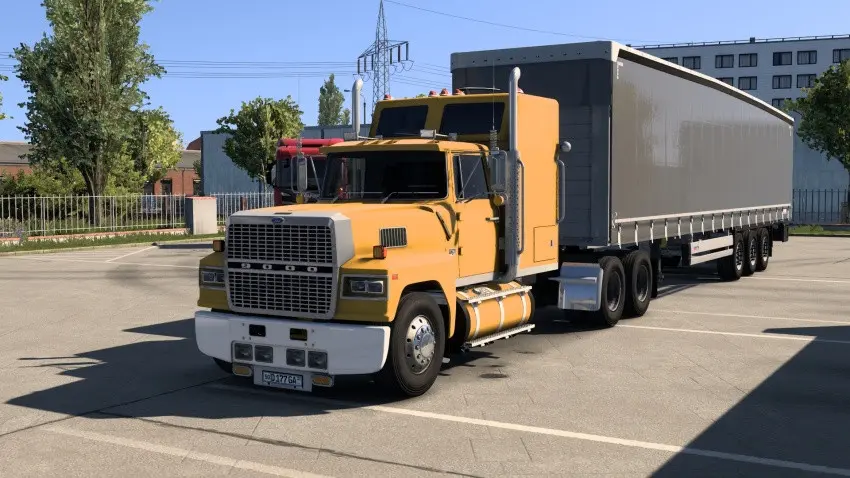
Several of this week’s arrivals have “Lite” in the title: a Scania at 572 MB, a Ford LTL 9000 at 258 MB, two container trailer packs at 32 and 118 MB. The word means the author made a smaller build on purpose, and it is worth knowing exactly what was removed before choosing between the two. Usually the answer is “nothing you would notice at normal settings”, and the lite version is the one to download first.
What authors remove
- Texture resolution. The big one. 4K textures downsampled to 2K cut a texture’s size by three quarters and the mod’s size by half or more. At 1080p and at ordinary camera distance the difference is invisible; in a close-up screenshot of a badge it is not.
- Configurations. Fewer preset builds, keeping the main ones. The parts are still there; you can rebuild the missing configs in the parts menu.
- Skins. A full version with twenty liveries and a lite with three.
- Optional parts. Tuning kits, alternative interiors, accessories that most people never select.
- Sounds. Occasionally a lite version uses the stock sounds instead of a recorded set.
- For maps: fewer or smaller textures, fewer decorative objects, sometimes a smaller area.
What authors do not remove: the model’s shape, the physics, the core parts. A lite car drives identically to the full one.
What you gain
- A download that finishes. On a connection that drops, 300 MB succeeds where 1.2 GB fails. For uploaders this is also money: the 70% share here is paid on finished downloads.
- Video memory. A lite car uses a quarter of the texture memory. On an 8 GB card with a big map, that is the difference between smooth and stuttering.
- Loading time, in proportion to size.
- Disk space, which adds up over a library of hundreds.
When to take the full version
You play at 1440p or 4K with the camera close, you take screenshots, you have a 12 GB or larger card and a fast connection, or the full version’s extra configurations and skins are the point for you. Both can be installed, but not at the same time: they share internal names and the game will see a duplicate. Deactivate one.
Lite is not “demo”
A lite version is complete. It is not a trial, it is not missing features that unlock in the full one, and nothing on this site is behind a payment. If a “lite” file turns out to be a cut-down teaser pointing at a paid full version elsewhere, that is a description problem worth reporting, because it is not what the word means here.
Lite in different games
- BeamNG: almost always texture resolution and configurations. Largest savings.
- ETS2 and ATS: texture resolution for trucks and skins; for trailer packs, fewer trailer variants or fewer company skins.
- Farming Simulator: less common; usually a map with fewer placeables or lower-resolution ground textures.
- GTA V: “lo-poly” or “low texture” versions of add-on cars for players with many add-ons, where texture memory is the constant problem.
For uploaders
Offer both when your file is large. Make the lite version from the same source at the same time, so the two stay in step; a lite version two releases behind the full one causes more confusion than it saves. Name the difference in the description in one line (“Lite: 2K textures, 6 of the 14 configurations”) so the choice is informed. Watch the download counts: on most large mods the lite version is the one people finish, and finished downloads are the ones that count.
Making your own lite version
Downscaling a mod’s textures for private use is simple with free tools, and it is yours to do with a file you downloaded for yourself. Sharing the result is a derivative work and needs the author’s permission; many authors are happy to be asked and some will adopt the lite build officially. Asking first is the difference between a contribution and a reupload.
 Data, scripts or native code: which mods can actually harm a PC, what a VirusTotal result does and does not tell you, and the red flags
 How to spot fake mod sites and scam downloads: executables, locked archives, survey walls, fake buttons and fake GTA VI mods
 Standalone or replacement? The two kinds of mod in every game, and why the difference matters for conflicts, saves and updates
 Zip, 7z or rar: which archive formats each game accepts, how to repack to zip correctly, and why we prefer zip