How to set up a BeamNG.drive car for drifting: differential, steering angle, tyres, alignment and gearing
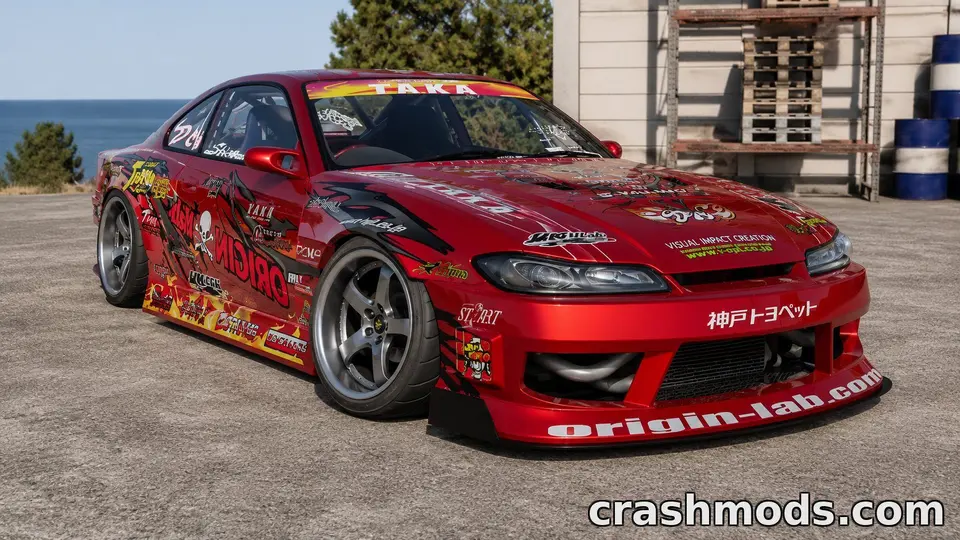
Drift builds are among the most downloaded configurations on ModsDrop, and many players install a “drift version” of a car without knowing what makes it one. You can build your own from almost any rear-wheel-drive car in BeamNG.drive with the parts and tuning menus alone, no extra mods required. Here is what to change, in the order that matters, and why each change works.
Start with the right car
Rear-wheel drive, a manual gearbox, and enough torque low in the rev range to break the rear tyres loose on demand. A light car with modest power is easier to learn on than a 900 hp monster; the techniques are the same and the mistakes are slower. Japanese saloons and coupés of the early 1990s became drift icons for exactly these reasons, and several of them are in our library.
1. The differential
This is the change that turns a car into a drift car. An open differential sends power to the wheel with less grip, so one rear tyre spins while the other does nothing and the car straightens. In the parts menu, look for a limited-slip, welded or locked rear differential. A welded or locked diff makes both rear wheels turn together at all times: the easiest to drift, clumsy in tight car parks. A limited-slip diff with high lock values (where the tuning menu offers power and coast lock settings) is the refined option: high power lock keeps both wheels driving under throttle, moderate coast lock keeps the car stable when you lift.
2. Steering angle
Drifting means steering against the slide, often far beyond what a road car allows. Some cars offer a high-angle steering rack, drift knuckles or a race steering option in the parts menu; where it exists, fit it. More angle means you can hold bigger slides without spinning, and recover from mistakes that would otherwise end the run.
3. Tyres and pressures
You want the front to grip and the rear to let go predictably. Keep good tyres on the front. At the rear, a harder or lower-grip compound makes the slide easier to start and to hold. In the tuning menu, raising the rear tyre pressure reduces the contact patch and grip; lowering the front slightly increases front grip. Change one thing at a time, a few psi at a time, and drive the same corner after each change.
4. Alignment and suspension
- Front camber: more negative camber keeps the front tyres flat on the road at full lock, which is where a drift car spends its time.
- Front toe: a little toe-out sharpens the response when you flick the car into a slide.
- Springs and anti-roll bars: a stiffer rear relative to the front makes the rear step out more readily; a stiffer front calms a car that snaps around too fast.
- Dampers: if the car wobbles after each transition, add damping; if it skips over bumps mid-drift, reduce it.
5. Gearing
Most drifting happens in second or third gear. Adjust the final drive so that the speed of your favourite corners sits in the middle of second or third, with room to rev up without hitting the limiter and without dropping out of the power band. A drift car that needs a gear change mid-corner is geared wrong.
6. Electronics off
Stability control and traction control exist to stop exactly what you are trying to do. Cars that have them let you switch modes or turn them off; do it before every session. Some modded cars bundle a “drift mode” that does this and loosens the differential in one step.
Driving it
- Initiation: a clutch kick (press the clutch, rev, release sharply), a weight transfer flick (steer away, then into the corner), or the handbrake. Start with the handbrake on a wide, open area; it is the most forgiving.
- Holding it: the throttle steers the rear. More throttle, more angle; less throttle, the car straightens. The steering wheel keeps the front pointed where you want to go.
- Exit: ease off the throttle and unwind the steering together. Lifting abruptly with a locked diff can snap the car the other way.
Save it as your own configuration
When the car feels right, save it from the vehicle configuration menu. The game writes a .pc file that you can load in one click, and that you can share with friends as a tiny config pack, as the config pack guide explains. Note the tyre pressures and diff settings in the file name or description; they are the first thing anyone will ask.
Practising
An empty car park or an airfield is better than a mountain road for learning. Several official maps have open tarmac areas, and split-screen in 0.40 includes a Drift mode for practising with a friend on one machine. When the basics are in your hands, a figure-of-eight around two cones is the classic drill: two transitions per lap, every lap.
 BeamNG.drive mods not showing up? Eight fixes, in the order to try them
 New and rising: the BeamNG.drive cars published in the last two weeks that people are downloading most
 How to read the BeamNG.drive log to find the mod that crashes your game
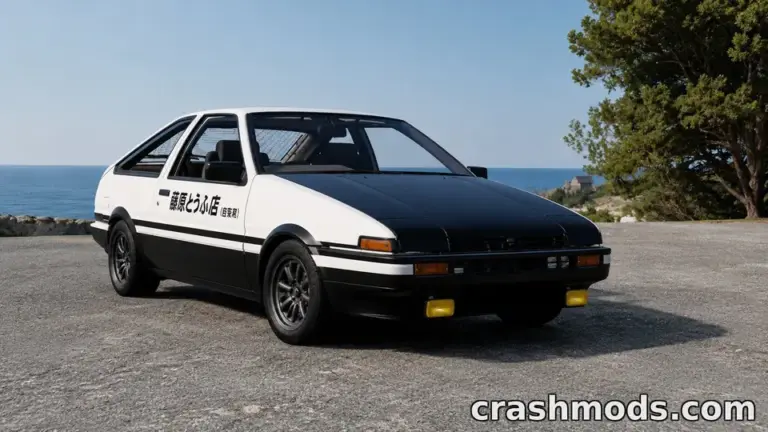 Garage picks: twelve Japanese performance icons for BeamNG.drive, from the AE86 to the Silvia S15