BeamNG.drive config packs: what .pc files are, how to install them and how to save and share your own
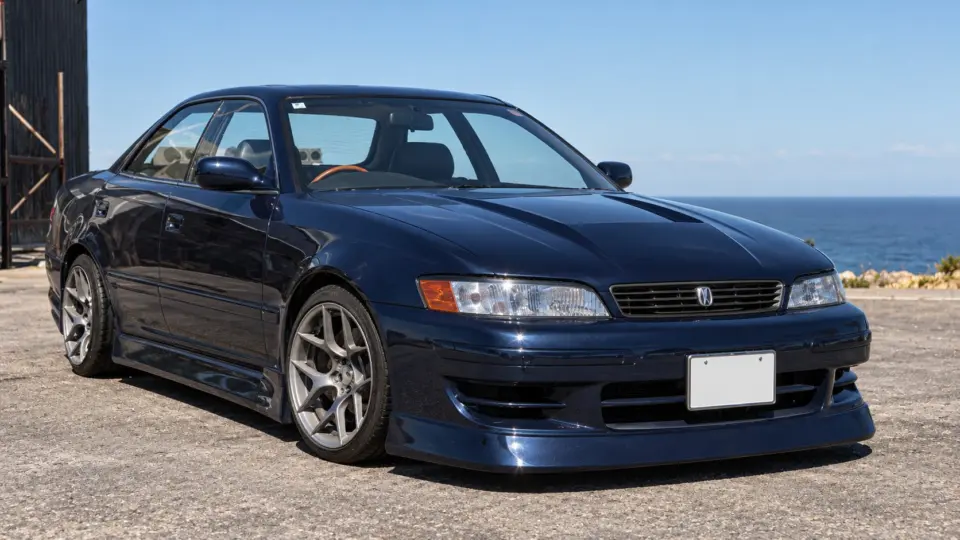
The most downloaded file on ModsDrop this month is 11 MB, and several entries in the weekly top twelve are under 100 MB. Many of them are not vehicles at all but config packs: collections of preset builds for cars you already have. They are the cheapest way to get more out of the game, and the least understood kind of mod. Here is what a .pc file is, how to install a pack, and how to make and share your own.
What a .pc file is
Every BeamNG vehicle is built from parts chosen in the parts menu: engine, transmission, suspension, body panels, wheels, paint. A .pc file (short for “part configuration”) is a small text file that records one complete set of those choices. When you pick a configuration in the vehicle selector, the game reads the .pc file and assembles the car accordingly. The stock game ships dozens of them per vehicle; a config pack adds more.
Because a .pc only lists parts, it needs those parts to exist. A pack of configs for the stock Ibishu Pessima works on any installation. A pack of configs for a modded BMW needs that BMW mod installed first, and a pack that uses a modded engine swap needs the swap mod too. Authors list these requirements; when a config loads as an empty frame or a car with missing parts, a requirement is missing.
Installing a pack
A config pack is a zip containing vehicles/ with the .pc files and, usually, a matching preview image per config (name.pc and name.jpg or .png). It goes into the mods folder like any mod and stays zipped. The new configurations appear in the vehicle selector under the car they belong to, with their preview images. Nothing else changes: no new car, no new parts, no new physics.
Reading a pack before installing
Open the zip. The folder under vehicles/ tells you which car the pack is for; the file names tell you what the configs are. A pack with twenty .pc files and twenty images, a few hundred kilobytes in all, is exactly what it claims. A “config pack” of 400 MB contains textures or models and is really a skin or parts mod with configs attached; that is fine, but it will not work without the rest of its contents and should be judged as such.
Making your own
- Spawn the car and build it in the parts menu: parts, tuning, paint.
- Open the vehicle configuration menu and choose Save. Give it a name without spaces or special characters.
- The game writes
name.pcand a preview image intovehicles/in your user folder, under the current version. That is already a working config; it appears in your selector immediately./
To share it, zip the vehicles/ and name.jpg pair with the vehicles folder at the top of the zip. Test the zip in a clean game (deactivate your other mods) to be sure it does not depend on something you forgot. If it uses a modded car or modded parts, say so in the description and link the required mods.
Why packs are good for everyone
For downloaders, a pack is a 300 KB file that adds twenty cars’ worth of variety to a mod they already have, finishes downloading before the page has stopped loading, and cannot break anything. For authors on ModsDrop, finished downloads are what the 70% revenue share is paid on, and a tiny file finishes on every connection. The dyno at number one in this month’s chart is 11 MB; the pattern is not a coincidence.
Common problems
- The config shows but spawns a bare chassis. A required mod is missing or deactivated.
- The config is there twice. You saved one with the same name as one in a pack, or two packs include the same file name. Rename yours.
- The preview image is blank. The pack has a .pc without a matching image. Cosmetic; the config works.
- The config vanished after an update. Your own saved configs live in the version folder; after a game update, copy them from the old version’s
vehicles/folder to the new one.
 The BeamNG.drive modding pipeline: Blender and Collada, JBeam, materials, the World Editor and Lua
 How to install BeamNG.drive map mods, and what to do when a map will not load
 Drag racing in BeamNG.drive: measuring on the dyno, gearing for the strip, traction, and reading a timeslip
 Garage picks: twelve Japanese performance icons for BeamNG.drive, from the AE86 to the Silvia S15