How to read a BeamNG.drive mod zip before installing it: vehicle, config pack, skin, parts, map or script
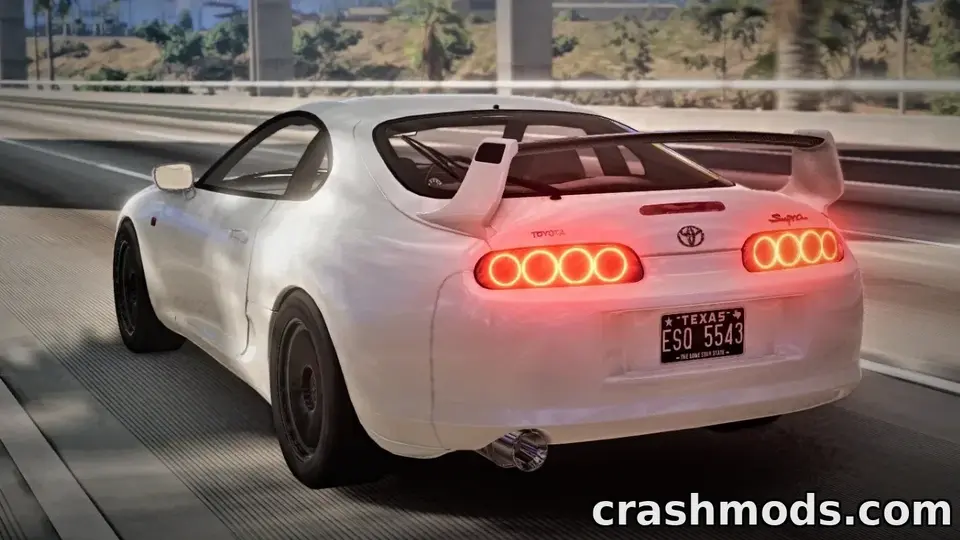
A BeamNG.drive mod is a zip, and a zip can be opened without installing anything. Thirty seconds in 7-Zip or Windows Explorer tells you what kind of mod you have, whether it is complete, and whether it will fight with something you already run. Here is how to read one.
Open it, do not extract it
Right-click the zip and choose Open with 7-Zip (or just double-click in Explorer). You are looking at the folder tree inside. Nothing you do here changes the file. When you are done, close the window and copy the untouched zip into your mods folder; BeamNG reads zips directly.
The top-level folders tell you the type
vehicles/with a new folder name inside it (sayvehicles/bmw_e46/) containing.jbeam,.daeand texture files: a new vehicle. The jbeam files are the physics structure, the dae is the 3D model, the textures are the paint. Expect hundreds of megabytes.vehicles/with the name of a stock car inside (vehicles/pickup/,vehicles/etk800/) containing only.pcfiles and small images: a config pack. It adds preset builds of a car you already have. A few kilobytes to a few megabytes.vehicles/with a stock car’s name and a handful of.ddsor.pngfiles plus one small jbeam: a skin. The jbeam registers the skin so it appears in the parts menu.vehicles/with a stock car’s name and new jbeam files for parts (an engine, a turbo, a body kit): a parts mod. It extends the stock car’s part tree. These are the mods most likely to clash with each other, because two parts mods for the same car may define the same slot.levels/with a folder inside: a map. Big, often over a gigabyte, with terrain files, amain/folder of objects and aninfo.jsondescribing the level.ui/modules/apps/: a HUD app. These are the mods most affected by the 0.40 update, which removed old UI building blocks; check the mod’s date.lua/at the top level: a script mod that changes game behaviour (traffic, physics helpers, tools). Read its description carefully; this is the one category where “what does it actually do” is not obvious from the files.art/: shared assets such as sounds or common textures. On its own it is usually a sound pack; alongside a vehicle folder it is just the vehicle’s shared material.
Signs of a complete, healthy mod
- A single top-level structure, not a folder with the zip’s own name wrapping everything. A zip that opens to
bmw_e46_v2/vehicles/...was packed wrong; the game expectsvehicles/at the top. Some mod managers tolerate the extra level; BeamNG does not. - For a vehicle: at least one
.dae, several.jbeamfiles, a folder of textures, and aninfo.jsonorinfo_*.jsonwith the name and author. A vehicle folder with jbeam files but no dae is a physics-only test build and will spawn invisible. - For a map: a
levels/and a/info.json main/folder. A preview image is a good sign that the author cared. - Reasonable size for the type. A “full vehicle” at 4 MB is a config pack with a grand description; a skin at 900 MB has uncompressed 8K textures and will cost you video memory for no visual gain.
Spotting conflicts before you install
Write down the folder names under vehicles/ and levels/. If a new mod uses a vehicle folder name you already have from another mod (two different authors both using vehicles/supra/), only one will work and the other may corrupt it. Rename nothing; pick one. Config packs and skins for the same stock car do not conflict with each other as long as their file names differ.
Reading the jbeam, if you are curious
Jbeam files are plain text. Open one in Notepad and the first lines name the part, its slot type and its author. You cannot break anything by reading it, and it is the fastest way to learn whether a “V8 swap” mod is a new engine or a renamed stock one. Serious authors fill in the information block with their name and a version; a jbeam with an empty block or someone else’s name in it is a reupload, and the original author’s page is where updates will come from.
What the zip cannot tell you
Whether it is safe. A zip of models and text files cannot carry a virus in any practical sense, but a mod with Lua in it runs code inside the game, which is why every file on ModsDrop is scanned on VirusTotal before publication and the result sits on the file page. Read the scan line, read the folder tree, and then install with some idea of what you just added.
 BeamNG.drive 0.40 for modders: World Editor changes, the isInside flag, the occupant system, and the three UI breaking changes
 Traffic in BeamNG.drive: setting it up, choosing a count your CPU can take, and what traffic mods do and do not change
 How to read the BeamNG.drive log to find the mod that crashes your game
 The BeamNG.drive Mod Manager explained: active, inactive, unpacked, and the habits that keep a long list working