Reading log.txt in Farming Simulator 25: finding why a mod was rejected or crashed, and what to send the author
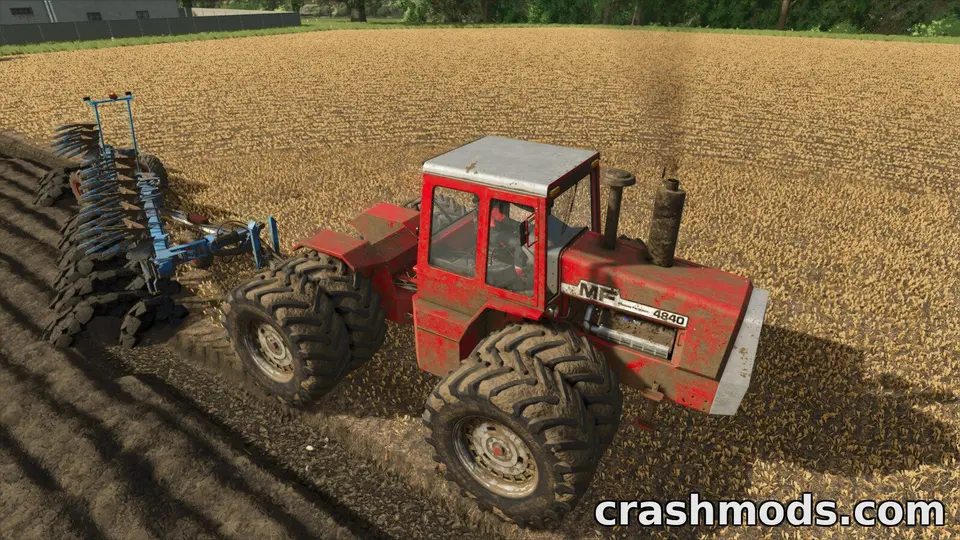
Farming Simulator 25 writes a plain-text log every time it runs, and it is unusually talkative: every mod it loads, every one it rejects and why, every script error with the file and line. For anyone who installs mods manually it is the single most useful file on the disk, and it is one search away from answering most “the mod does not work” questions. Here is where it is and how to read it.
Where it is
Documents\My Games\FarmingSimulator2025\log.txt. It is overwritten at every start, so if the game crashed and you restarted it to get here, the crash is gone; copy the log before you restart next time. Opening it in Notepad is fine; a text editor with search (Notepad++, VS Code) is better because the file runs to thousands of lines.
Structure
Lines start with a timestamp and a level: Info, Warning or Error. The first few hundred lines describe your system and settings. Then the mod loading section: one block per mod, with its file name, its name from the description file, its version, and any complaint. Then the savegame load, then gameplay messages until you quit.
The searches that matter
- Search for “Error”. Read the first ones after the mod section starts; later errors are often consequences of the first.
- Search for the mod’s zip name. Every mod the game saw is mentioned, accepted or rejected. If the name is absent, the game never saw the file: wrong folder, or a name it refused to list.
- Search for “unsupported”. “Mod name contains unsupported characters” is the message behind most invisible mods.
- Search for “descVersion”. A mod whose description file declares an old or wrong version is reported here; FS22 mods dropped into FS25 end up in this line.
- Search for “LUA call stack” or “callstack”. A script mod failed; the lines above name the mod’s file and the function. Since patches 1.24 and 1.25,
loadstringappearing here means the mod used a function the game has disabled. - Search for “Missing” and “Can’t load resource”. A mod references a texture, model or sound it does not contain, or that the base game renamed. Cosmetic if it is one texture; a missing
.i3dmeans the whole vehicle will not appear. - Search for “conflict” and “dependency”. The same information the mod selection screen gave, with the exact mod names involved.
Common lines, translated
- “Mod … is not compatible with the current game version”: the description file’s version is too old or too new. For an FS22 mod this is terminal; for an FS25 mod made for an earlier patch it is a warning the author should update.
- “Duplicate mod”: two zips with the same internal name. Keep one.
- “Error: Running LUA method ‘update'” followed by a mod path: a script error every frame; the mod will misbehave or freeze the game. Untick it.
- “Warning: … has no shader” / “material”: a vehicle with a broken material; usually a conversion from FS22 that was not re-exported properly.
- “Warning (performance)”: a mod with oversized textures or too many lights; works, costs frames.
- “Savegame not found” / “map … not found”: the savegame’s map zip is missing or renamed.
From log to fix
Rejected for its name: rename the zip without spaces and brackets. Rejected for version: it is an FS22 mod or an abandoned FS25 one; only the author can fix it. Lua errors: look for an update newer than 29 September 2026; if there is none, the mod is broken until there is. Missing resources: re-download and compare sizes; if the second copy is the same, the mod is incomplete as published. Conflicts and dependencies: as the conflicts guide describes.
Sending a log to an author
Copy the lines about their mod and ten lines around the first error, with your game version and the mod’s version. Not the whole file: it includes your system details and runs to megabytes, and the author needs five lines of it. Say whether the problem survives with every other mod unticked; that single fact halves the author’s work.
Dedicated servers
A dedicated server writes its own log in its own profile folder, reachable from the server’s web interface. The same messages appear there; a mod rejected on the server is rejected for the same reasons as on a PC.
 Map mods in Farming Simulator 25: why they need a new savegame, how updates can end a career, and why the zip must never be lost
 How to install Farming Simulator 25 mods on PC: the mods folder, the zip-name rule and what patches 1.24 and 1.25 changed
 Farming Simulator 25 patch 1.25: hired hands for horses and alpacas, year-round vineyards, and a modding change
 ModHub or manual download? How the two ways of getting Farming Simulator 25 mods differ, and how to mix them