Steering wheels and controllers in BeamNG.drive after 0.40: what changed, what the hotfixes fixed, and how to set up
BeamNG.drive 0.40 and its hotfixes changed more for steering wheels and gamepads than any update in years, largely because the game had to work with controllers on PlayStation 5. If your wheel felt wrong after the update, or you are setting one up for the first time, here is what changed, what to set, and what to check before blaming a mod.
What changed in 0.40
- Controller navigation was reworked across the whole interface, so menus can now be driven entirely from a gamepad or wheel buttons.
- New default bindings arrived for more wheels, including the Logitech RS50 and Revosim direct-drive wheels.
- Gamepad throttle and brake linearity was rebalanced. If your pedal feel on a gamepad changed, this is why.
- On PS5, an initial list of wheels is supported: Logitech G29, G923 and RS50, plus Fanatec and Thrustmaster models, with the note that some may not assign every button yet.
What the hotfixes fixed
Version 0.40.2 on 22 October carried most of the wheel fixes: wheels that could steer themselves to the right and get stuck, handbrake support for the Logitech RS50 and the Logitech PRO on PS5, missing pedal bindings for several Thrustmaster PC wheels, a 33% wider force-feedback strength range on Thrustmaster PS5 wheels, and swapped throttle and clutch pedals on the Thrustmaster T598 on PS5 (users who swapped them by hand can now revert). It also improved force-feedback strength for wheels the game does not recognise, specifically to make it safer on direct-drive bases. If you are on 0.40.0 or 0.40.1 with a wheel, update before changing anything else.
Setting up a wheel
- Rotation: set the wheel’s rotation in its own driver software, then make sure the game’s steering setting matches. A 900° wheel with a game expecting 540° turns the car too quickly; the opposite makes it feel like a bus. Many players set the wheel to 900° and let the game handle each car’s real steering lock.
- Force feedback strength: start low, particularly on a direct-drive base, and raise it until the wheel communicates grip without fighting you. Clipping (the force maxing out and going flat) loses information; if the wheel feels dead in hard corners, it is too strong, not too weak.
- Smoothing: a little smoothing removes harsh vibration; too much makes the wheel feel vague and late.
- Pedals: check each axis in the bindings screen. A brake that reaches only 80% at full travel needs its range calibrated; a reversed axis needs inverting.
- Save the profile: bindings are stored per device, so a second wheel or a gamepad keeps its own setup.
Gamepads
A gamepad cannot match a wheel’s precision, so the game helps: steering assistance smooths inputs and limits steering at speed. After the 0.40 linearity change, recheck your throttle and brake curves if you had customised them. For drifting on a gamepad, a slightly faster steering speed and reduced assistance give more control; for normal driving, the defaults are a good start.
When a mod car feels wrong on a wheel
Steering lock, steering ratio and force feedback all come partly from the car’s own JBeam. A modded car with an unrealistic steering ratio feels twitchy or numb regardless of your settings. Test a stock car first: if the stock car feels right and the mod does not, the mod’s steering data is the cause, and the author can fix it. If both feel wrong, it is your setup.
Direct-drive safety
Direct-drive bases can produce forces that hurt wrists and thumbs when a car crashes or a mod has broken physics. Keep the strength at the level you actually need, use the base’s own safety limits, and be careful with modded vehicles that misbehave: an exploding JBeam can spin a direct-drive wheel violently. The 0.40.2 change to unknown wheels was made for exactly this reason.
Shifters and handbrakes
H-pattern shifters and separate handbrakes bind like any other device. For an H-shifter, choose a gearbox mode that accepts sequential gear selection from the shifter positions, and bind the clutch if you want to use it. A handbrake bound as an axis gives progressive control, which matters for drifting; as a button it is on or off.
 ModsDrop in October 2026 in numbers: 14,536 downloads, 141 countries, 2,950 new files
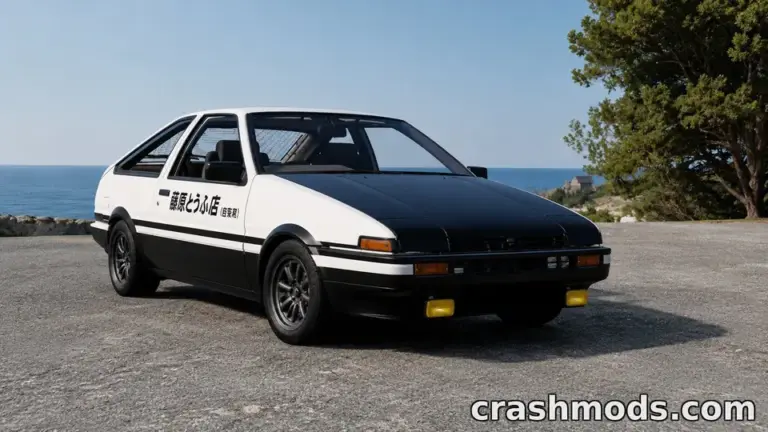 Garage picks: twelve Japanese performance icons for BeamNG.drive, from the AE86 to the Silvia S15
 BeamNG.drive performance with many mods: what costs frames, what does not, and the settings worth changing in 0.40
 JBeam for players: why BeamNG.drive cars crumple the way they do, and what that means when you download a mod